Client walkthrough
How WhizInvite works
A concise guide to the proof of concept — from landing page to published invitation, guest RSVP, and host guest list — with real screenshots from the running demo.
Overview
Summary
WhizInvite helps hosts create a cinematic digital invitation in about a minute, share a private link, and collect RSVPs — without asking guests to create an account.
This POC demonstrates one signature template (Gilded Vow) end to end: personalize in the editor, publish a shareable invitation, reply as a guest, and review responses on the host guest list. Replies in this demo are stored in the browser so the host list updates instantly on the same device.
Journey
Application flow
Home → Editor → Publish → Invitation (guest) → Guest list (host)
- 01HomeHost lands and starts creating
- 02EditorPersonalize names, date, venue, message
- 03PublishOpens a shareable invitation URL
- 04InvitationGuest views and submits RSVP
- 05Guest listHost reviews stats and replies
Step 1
Home — start here
Open /. Read the hero pitch, see a live preview of the template, then choose Create your invitation or See a live invitation. First-time visitors get a short guided tour; replay it anytime with the pill Guided tour button at the bottom left.
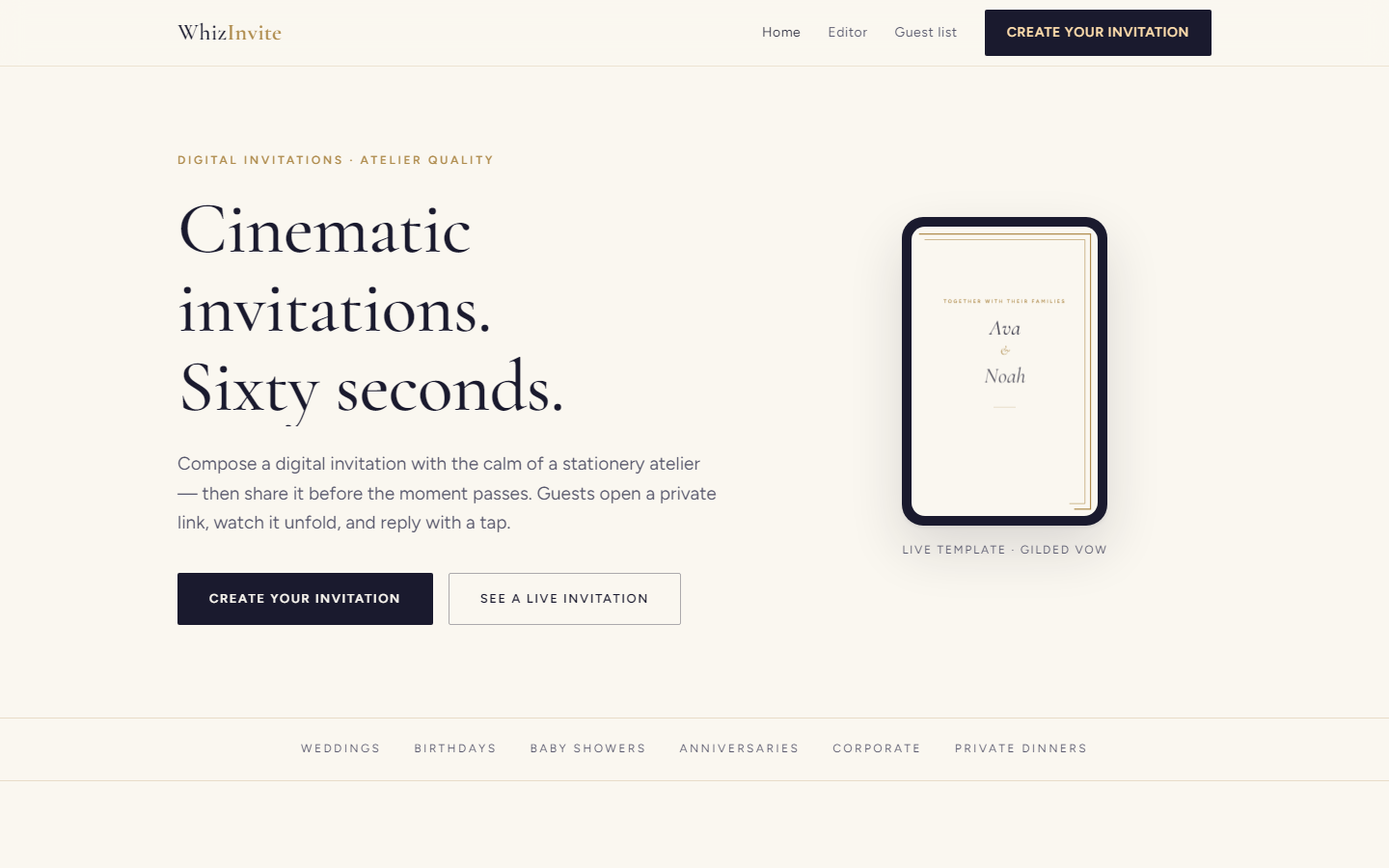
Home · landing hero and live template preview
Step 2
Editor — personalize and publish
Open /editor. Edit the fields on the left; the preview updates instantly. When ready, click Publish invitation to open the shareable guest page (details travel in the URL for this POC).
- Edit names, date, venue, and message
- Optionally change the accent color
- Confirm the live preview
- Publish to generate the invitation link
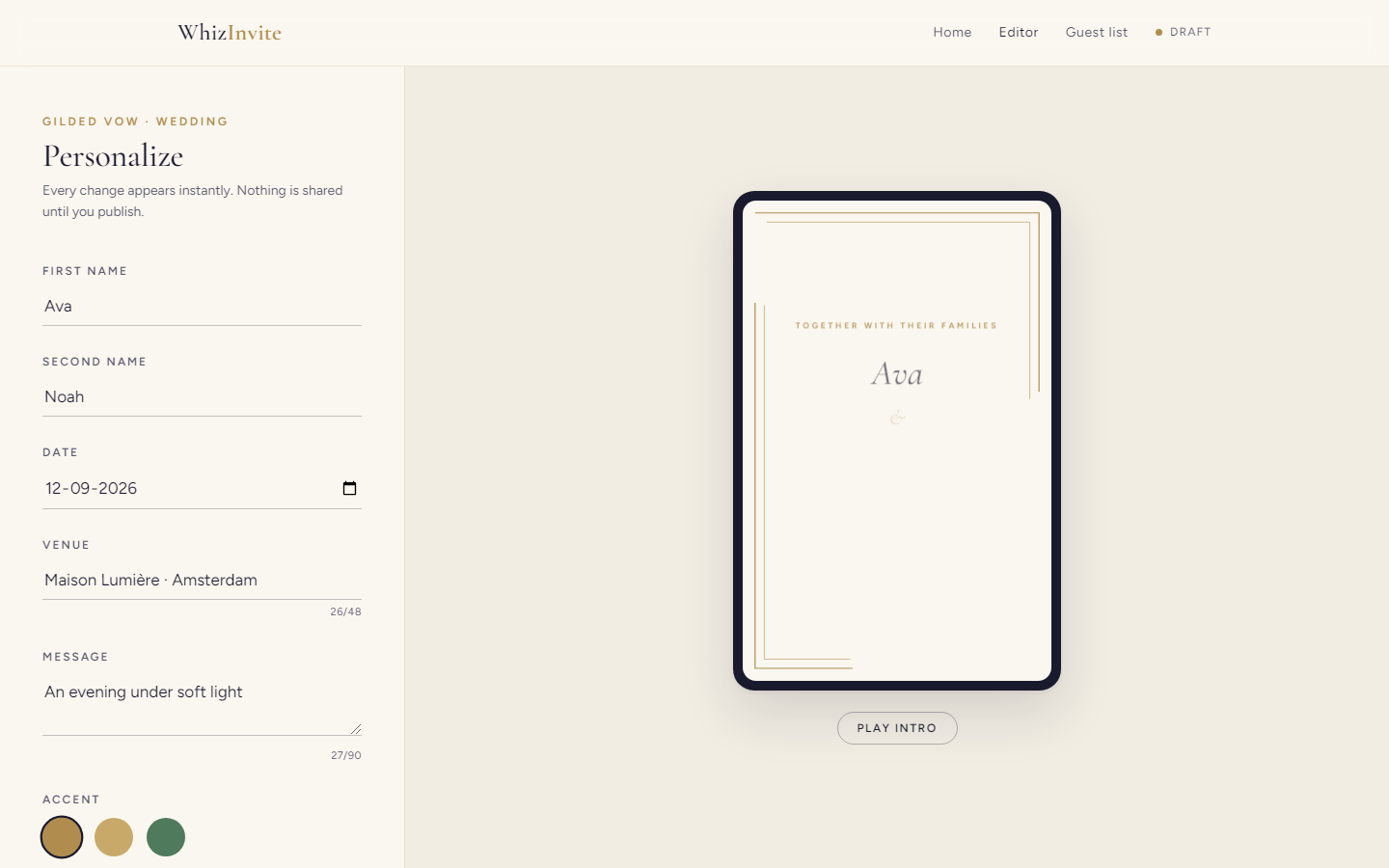
Editor · form and live preview side by side
Step 3
Invitation — guest experience
Guests open the private link, watch the invitation unfold, then scroll to details and RSVP. No guest account is required.
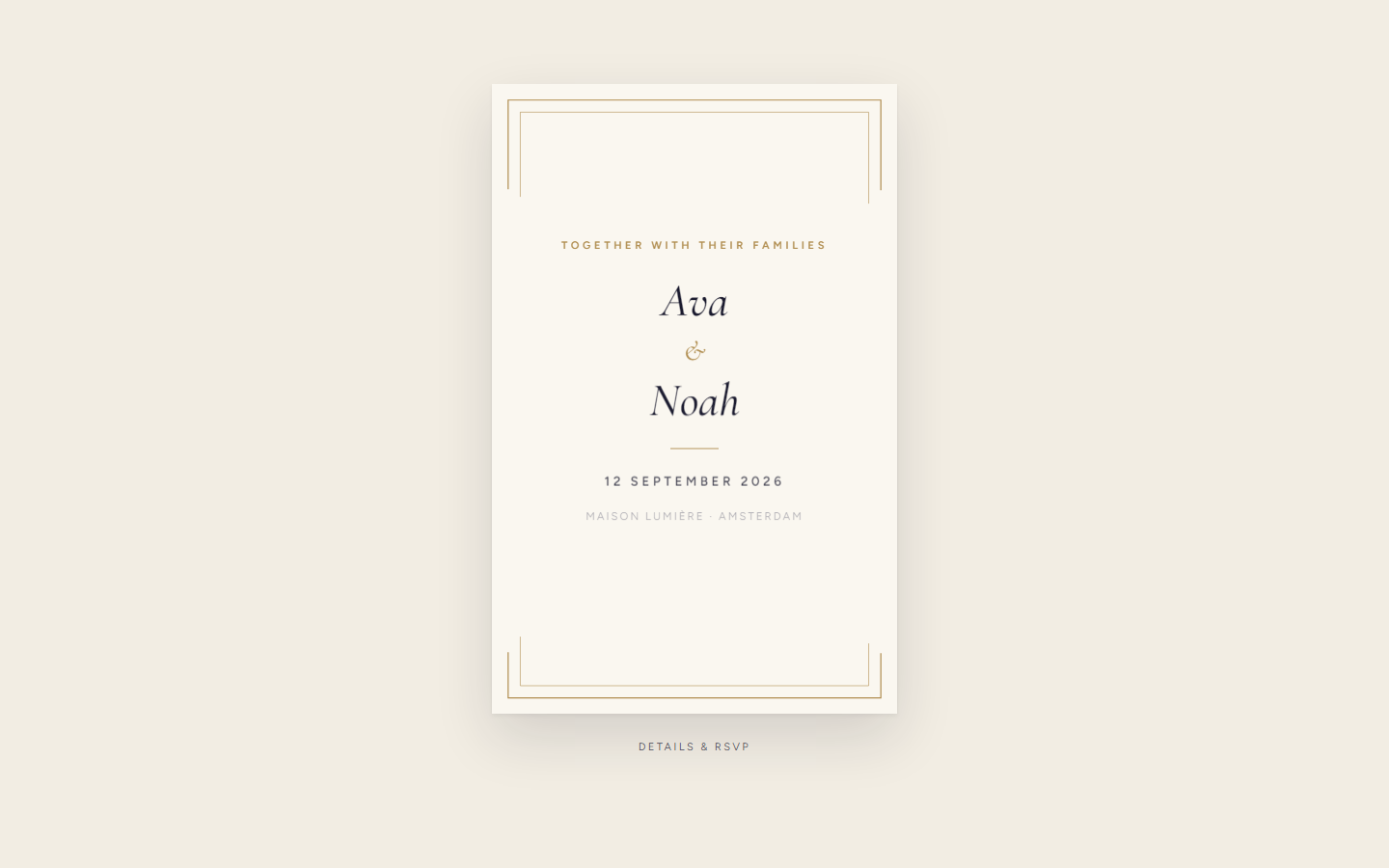
Invitation · cinematic card view
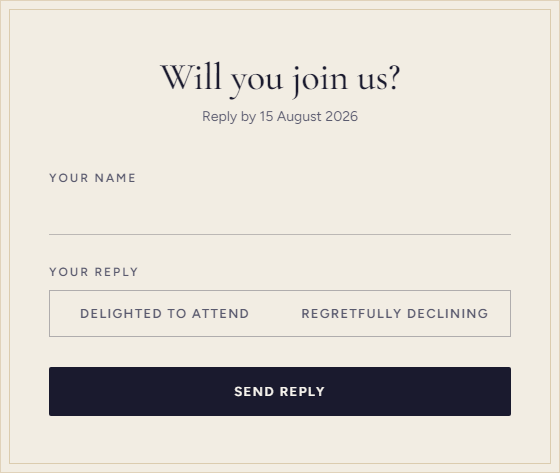
RSVP · name, attendance, plus-ones, dietary notes
Step 4
Guest list — host dashboard
Open /guests to see attendance stats, copy the invitation link, and review seeded demo guests plus any live replies submitted on this browser.
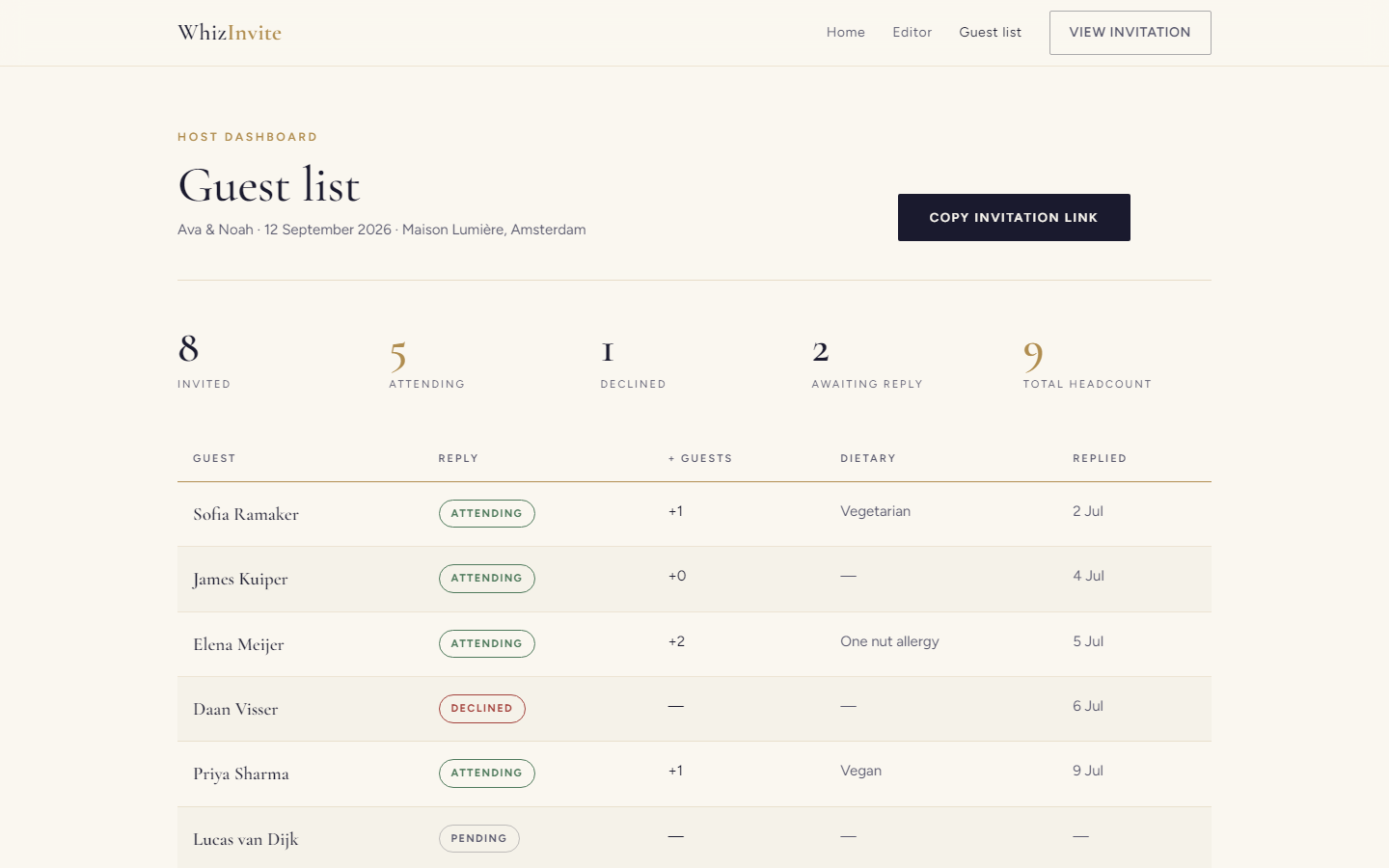
Guest list · summary stats and replies
Help
Guided tour
WhizInvite includes a short on-page walkthrough so first-time visitors understand each screen.
- First visit — the tour starts automatically when you open Home, Editor, Invitation, or Guest list for the first time.
- Replay anytime — click the pill-shaped Guided tour button in the bottom-left corner to run the current page’s tour again.
- During the tour — use Next / Back, or press Esc to exit early.
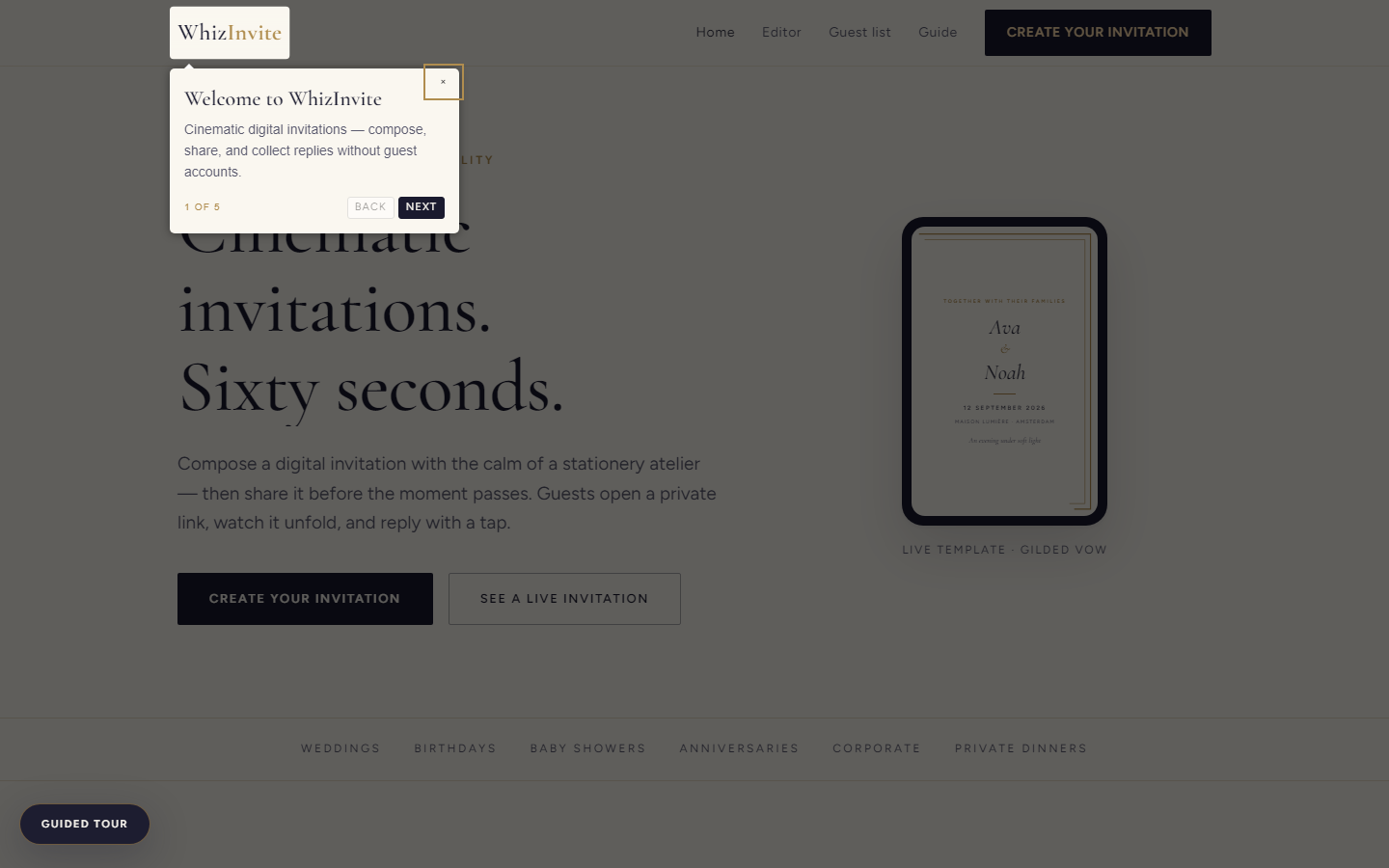
Tour · auto-start on first visit · replay via bottom-left button
Local demo
How to run
https://invitation-poc.whizapps.cloud
| URL | Screen |
|---|---|
| / | Home |
| /editor | Editor |
| /invitation | Invitation |
| /guests | Guest list |
| /guide | This guide |
Stakeholder note: This is a front-end proof of concept. Personalization travels in the invitation URL; RSVPs are stored in browser localStorage on the machine that submitted them — not a multi-user production backend.